The expense tracker
that categorizes itself.
Label "Starbucks" as Coffee once — every Starbucks charge after that is filed automatically. Add expenses from your bank's CSV, the web app, or Telegram.
- 35 days free
- No credit card
- Export anytime
The problem
Expense tracking usually dies in month two
Not because you stop caring — because most apps make you label the same merchants again, month after month, until you quit.
Most trackers
- you pick itJanuaryStarbucks → Coffee
- you, againFebruaryStarbucks → Coffee
- you, againMarchStarbucks → Coffee
The same decision, every single month.
Lumly
- you pick itJanuaryStarbucks → Coffee
- automaticFebruaryStarbucks → Coffee
- automaticMarchStarbucks → Coffee
One decision in January. Done forever.
How Lumly solves it
"Never Ask Me Again" categorization
Lumly remembers every categorization you make and applies it to future transactions from the same merchant — whether they arrive by CSV import, Telegram, or manual entry.
Starbucks shows up. You pick "Coffee".
Lumly files it as Coffee for you.
Every Starbucks charge, already categorized.
Change your mind anytime — re-categorize and Lumly remembers the new choice.
Up and running in three steps
After the first few weeks, most transactions categorize themselves.
Add your expenses
Import a bank CSV, add them in the web app, or send a message to the Telegram bot.
Categorize each merchant once
The first time a merchant appears, you pick its category. That's the only time you're asked.
Lumly takes over
Every future transaction from that merchant is categorized automatically — imports included.
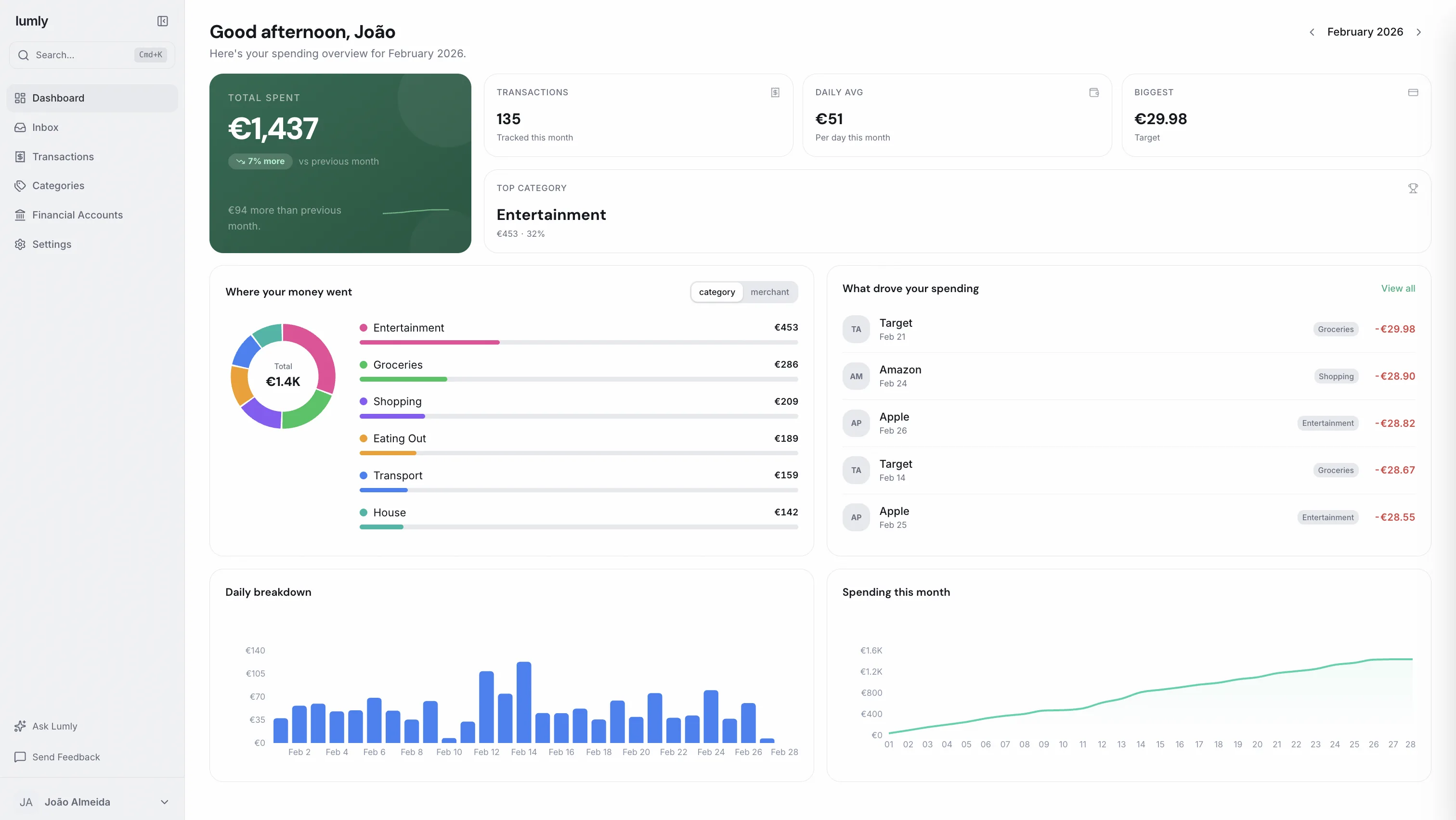
A clear picture of your money
Dashboards, search, and plain-language answers — built on transactions that are already categorized.
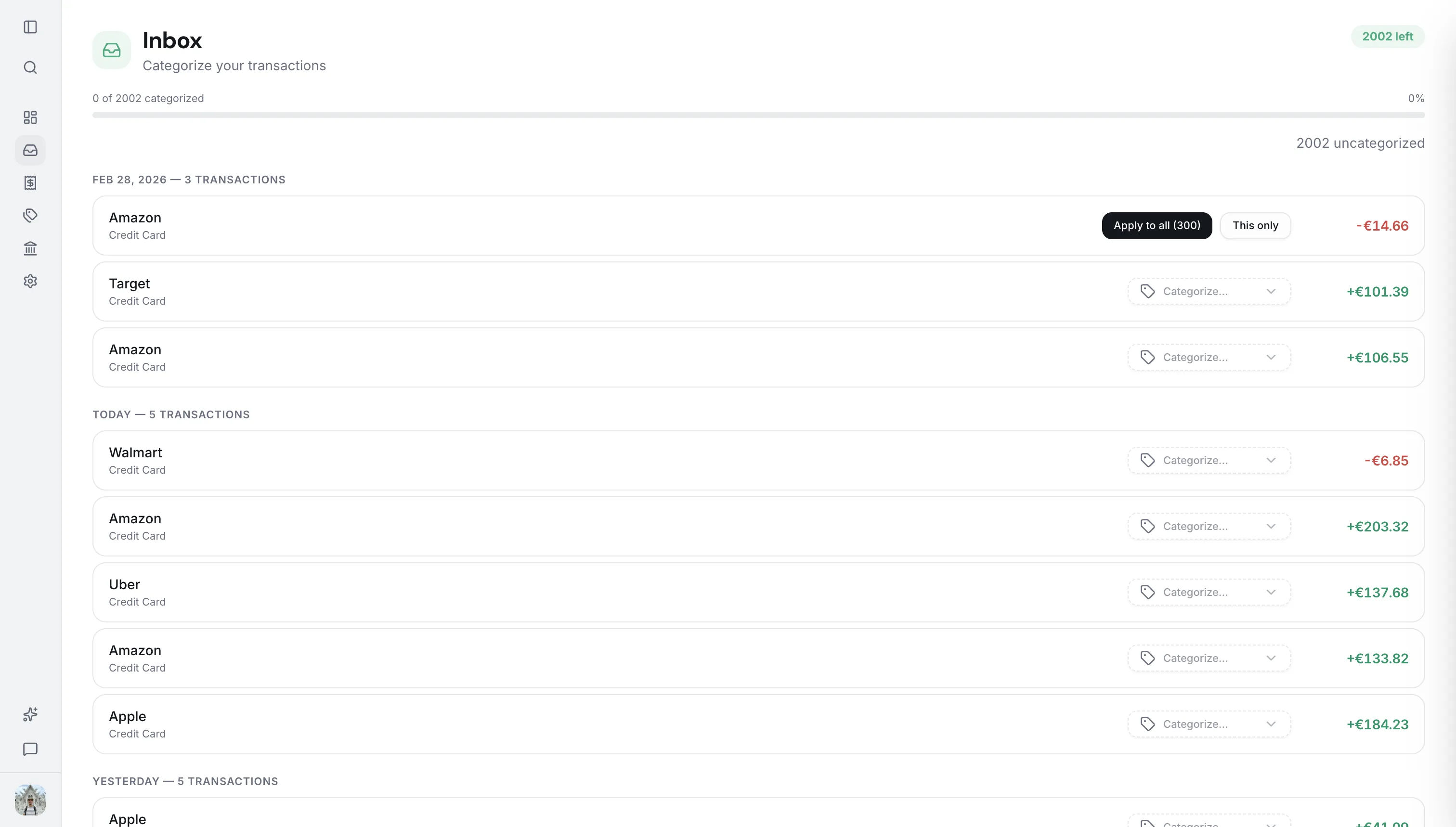
New transactions land here. Categorize a merchant once — or apply it to all of its transactions in one click.
Wherever you are
Five ways in, one source of truth
Review on the web, log through Telegram, import CSVs, connect an AI assistant, or work from the terminal.
Web App
Review history, categories, and trends from any browser.
Telegram Bot
Text "15.50 coffee" and you're done. Logging takes seconds.
CSV Import
Import bank statements. Columns are auto-mapped and duplicates skipped.
Logging an expense from Telegram
One account. The same data everywhere.
Your data
Your data stays yours
Lumly is built on a simple rule: it's your financial data, so you stay in control of it.
- No bank loginsLumly never connects to your bank. You import statements yourself — your credentials stay with your bank.
- Full CSV exportDownload your complete history anytime, in a format any spreadsheet can open.
- No lock-inCancel whenever you like — you keep read access to your data and can still export it.
Simple, transparent pricing
One plan with everything included. Try it free for 35 days — no credit card required.
All features included. No credit card required.
- Unlimited transactions
- Never Ask Me Again memory
- Inbox for faster categorization
- Advanced categorization
- Smart CSV import & export
- Telegram integration
- Financial Assistant
- Mobile friendly
- Friendly merchant names
Frequently asked questions
Everything you need to know about Lumly.
Stop categorizing the same merchant twice.
Import your last bank statement and see how it feels when the busywork disappears.
Start free trial →35 days free. No credit card required.